
Microsoft-Assessment.com
Securing Microsoft and Non-Microsoft Technologies
Automated Security, Health, & Compliance Assessment Tools for Microsoft Technologies and non-Microsoft Technologies including CIS Benchmarks

About SECID
Securing Microsoft and Non-Microsoft Technologies: Security Assessment Tools for Active Directory, M365, AVD, Azure, Entra ID, and more technologies
Our mission for Health and risk assessment of Active Directory, Microsoft 365, Azure and Azure Virtual Desktop is to provide a comprehensive evaluation of our clients’ environment and identify potential issues, risks, and opportunities for improvement.

10000+ Security & Health Checks
To ensure the security of an Active Directory, Microsoft 365, Azure, Azure Virtual Desktop and Entra ID, organizations often employ various tests and best practices, including those outlined by MITRE, ANSSI, CIS and NIST organizations.
Provide Vendor Recommendation Link for Each Test
SecID provides vendor links for each test so you can learn more about each test’s importance and the reasons you should check your environments against vendor recommendations.
Reduce Attack Surface by 95%
SecID Helps in reducing attack surface by 95% by covering all components of a technology during assessment.
Customize Reports and View issues in Console
Since SecID generates its reports in Word Format, they can be customized and rebranded. Additionally, you can change an issue’s severity or the SecID’s impact recommendations and impacts.
Supported Security Frameworks
Supports MITRE, ANSSI, CIS, and NIST CFS 2.0.
ASSESSMENT APPROACH & METHODOLOGY
Assessment Approach & Methodology
SecID uses three-steps methodology which has been designed based on our experience working with hundreds of AVD, Active Directory, Microsoft 365, and Azure environments.
Understanding the stakeholders
In an IT environment we have two main stakeholders; IT Management Team who is responsible for allocating budget and making decisions. IT Operations Team who is responsible for maintaining the IT environment and ensuring all business services are up and running.
Discovering & Defining Assessment Scope
The goal is to address Management needs by ensuring the scope for environment is known. The scope can be considered as a set of Active directory domains/host pools/office subscriptions. There need to be a discovery phase that can discover current environment and present a summary of discovered objects.
Executing Assessment & Generating Detailed Reports
You are ready to execute Assessment for scoped Active Directory domains/host pools or Microsoft 365/Azure subscriptions and then generate reports.
SECID ASSESSMENT FEATURES
Multi-Tenant Solution
SecID Assessment is designed to support multi-tenant security assessment environments, allowing organizations, security teams, and service providers to manage assessments for multiple customers or business units from a centralized platform. Each tenant can maintain its own assessment data, configurations, reports, and security posture independently, helping ensure clear separation of customer environments. This makes SecID Assessment well suited for Managed Security Service Providers (MSSPs), consulting organizations, and enterprises with multiple environments, while simplifying centralized security assessment management and reporting.
Global Security Score
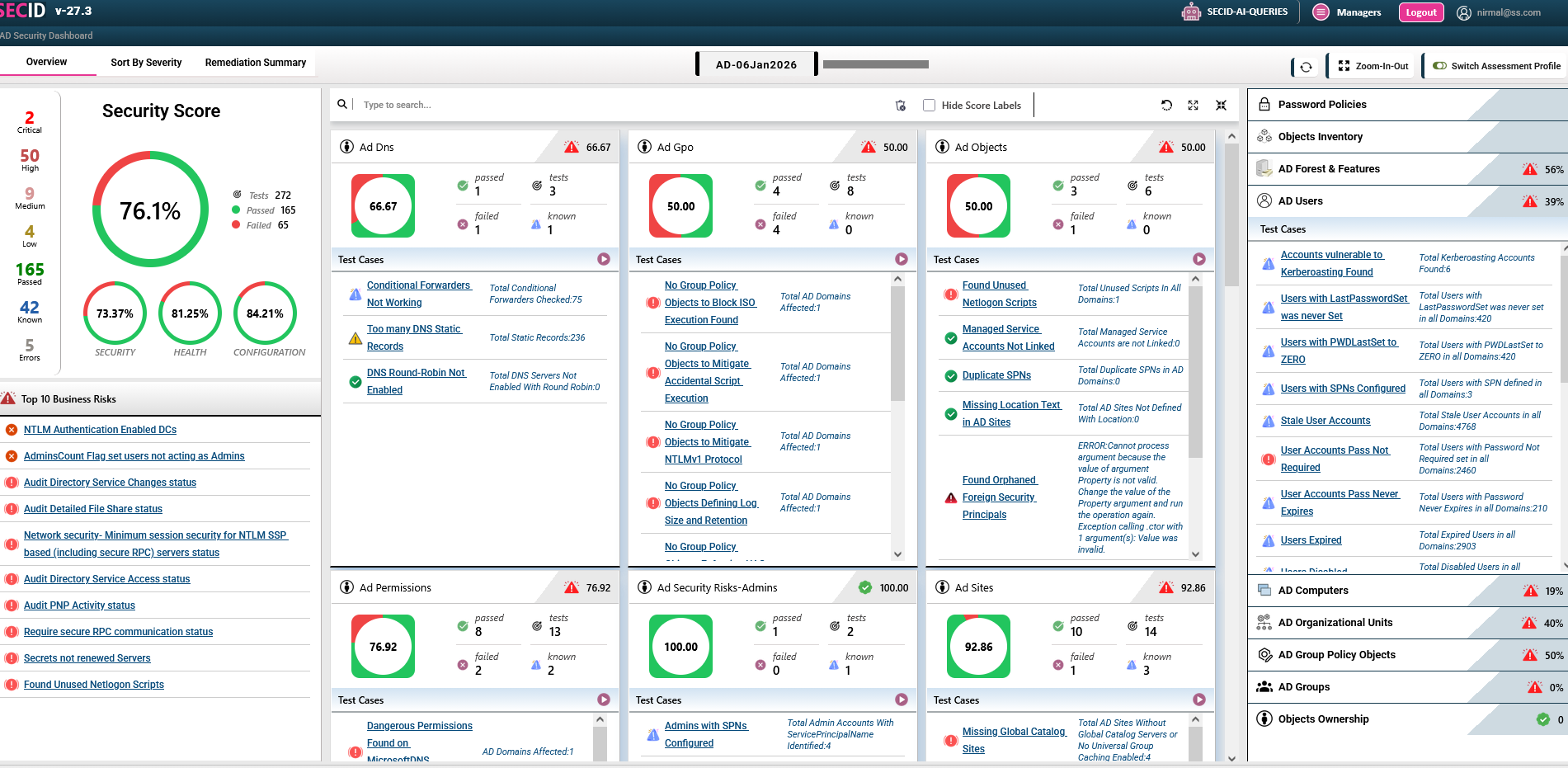
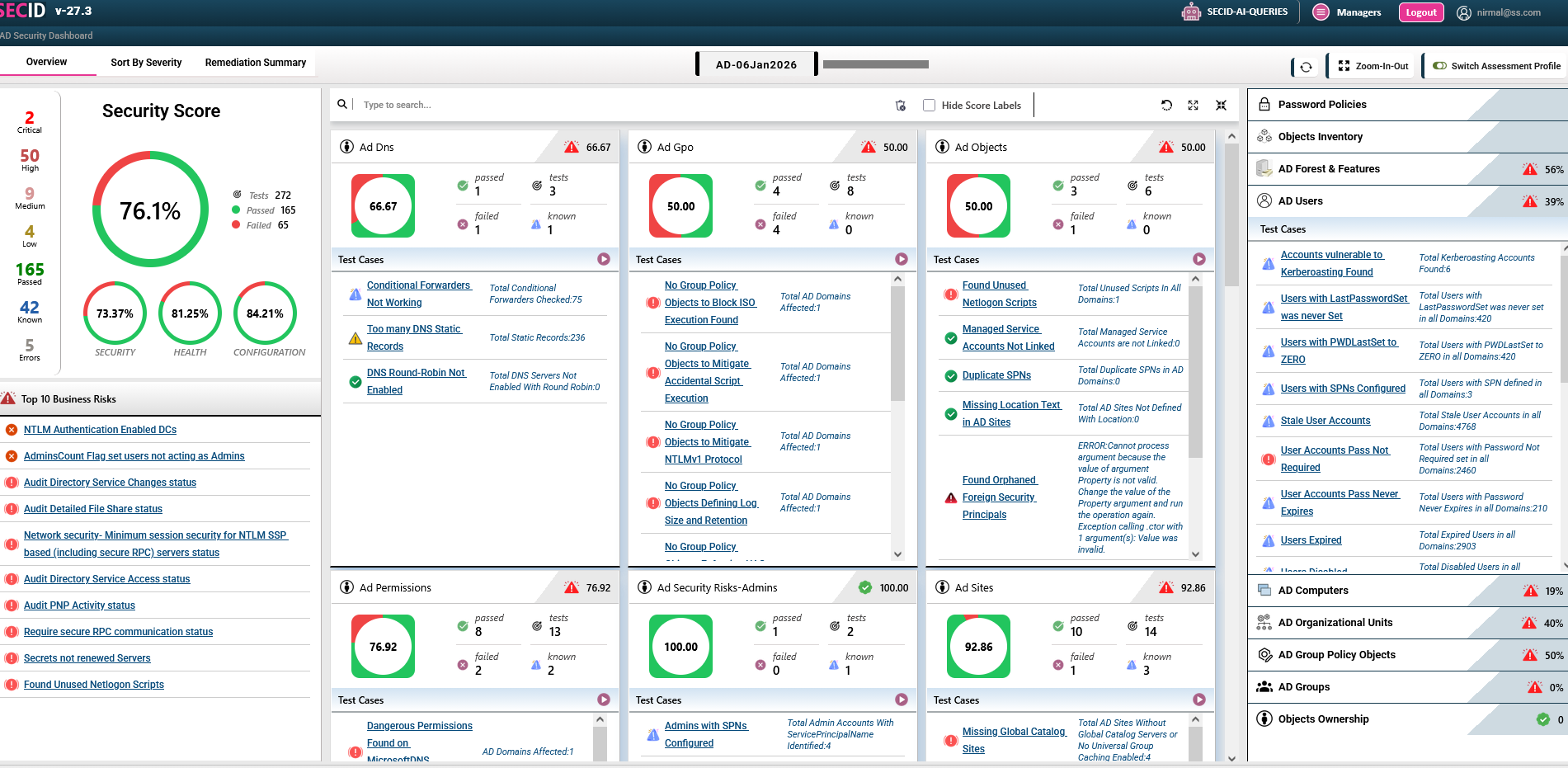
SecID Assessment provides a Global Security Score that delivers a consolidated view of the organization’s overall security posture across all assessed technologies. Security teams can quickly understand their current risk level by combining assessment results from multiple platforms and environments into a single, meaningful score. This helps organizations identify security gaps, prioritize remediation efforts, track improvements over time, and communicate overall security posture to management without having to review individual technology reports separately.
Risk Management
SecID Assessment provides a comprehensive Risk Management capability to help organizations identify, evaluate, prioritize, and address security weaknesses across their technology environments. Assessment findings are categorized by risk severity, enabling security teams to focus first on Critical and High-risk issues that may have the greatest impact on the organization. With detailed findings, affected objects, remediation guidance, and security scores, SecID Assessment helps organizations establish a structured approach to reducing risk, improving security posture, and continuously monitoring remediation progress.
Assessment Scheduler
SecID Assessment includes an Assessment Scheduler that enables organizations to automate security assessments according to their operational requirements. Security teams can schedule assessments to run at defined intervals—such as daily, weekly, or monthly—without requiring manual execution each time. Automated assessments help maintain continuous visibility into the security posture, detect newly introduced vulnerabilities or configuration changes, and ensure security checks are performed consistently. This allows teams to spend less time on repetitive assessment tasks and more time on remediation and improving overall security posture.
Compare Assessments
SecID Assessment provides Compare Assessment Views to help security teams analyze changes in their security posture across different assessment runs. Users can compare previous and current assessment results to quickly identify new risks, resolved findings, recurring issues, and changes in security scores. This historical comparison makes it easier to measure remediation effectiveness, track security improvements over time, and identify areas that require continued attention. By providing a clear view of security posture changes, SecID Assessment supports data-driven security decisions and continuous improvement.

Custom Assessment Templates
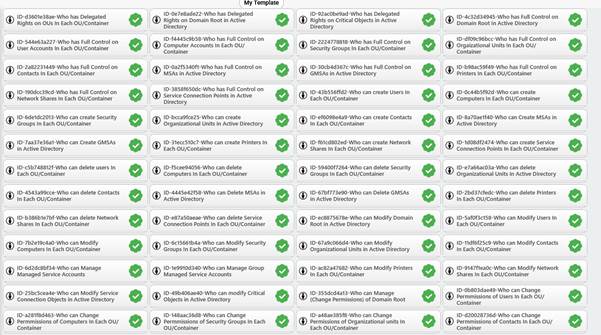
SecID Assessment allows organizations to define custom assessment templates based on their specific security requirements, policies, and operational needs. Security teams can select and organize relevant assessment checks to create tailored assessment profiles for different technologies, environments, or business units. Custom templates provide greater flexibility while ensuring that assessments remain aligned with organizational security policies, compliance requirements, and internal standards. This enables teams to standardize assessment processes while focusing on the security controls that matter most to their environment.
Word, PDF and Excel Reports
SecID Assessment generates professional security assessment reports in Word, Excel, and PDF formats, making it easy to analyze, share, and document assessment results. Reports provide detailed information about security findings, severity levels, affected objects, compliance status, recommendations, and overall security scores. Excel reports support deeper data analysis and filtering, while Word and PDF reports are ideal for management reviews, audit documentation, compliance evidence, and customer presentations. This flexible reporting capability helps security teams communicate technical findings effectively to both technical and business stakeholders.

WHY CHOOSE US
The “COMPLETE” Security Assessment
Someone is “securing” something, and someone else is “breaking” something. Attackers just need to employ the 30–35 approaches listed in order to get access to Active Directory, but security personnel must employ all available technological tools in order to defend the environment from attackers. When we say, “all technical means,” we mean looking at Active Directory from the standpoints of attackers and AD upkeep.
The fact that an attacker would have investigated every method of breaking into Active Directory despite the fact that not all Active Directory administrators are aware of them makes it necessary to conduct a “complete” security assessment for Active Directory.
Advanced assessment parameters for an Active Directory security assessment includes:
1. Investigating further based on the assessment findings.
2. Checking all GPO Settings recommended by CIS and NIST for domain Controllers.
3. Ensure the necessary structure is defined for GPO and all recommended GPO settings are implemented.
4. Administration structure is defined for Organizational Units and to manage AD & domain joined devices.
5. Operational procedures are in place.
While the Assessment Categories assist in selecting the appropriate Active Directory Assessment tool, the Methodology provides an overall perspective for both the IT Management Team and IT Operations Team. The SmartProfiler adopts a methodology that caters to the needs of both teams. The methodology should include the following:
Assessing the current environment level: The tool should evaluate the existing Active Directory environment and discover all domains.
Identifying Critical and High Risks: The Management Team needs to be aware of any critical and high-risk factors in the environment that might potentially disrupt business applications.
Prioritizing Items in an Action Plan: The Management Team must determine if there are critical and high-risk items that require immediate attention, considering the cost associated with addressing them. Since budget limitations may exist, prioritization becomes necessary.
Vendor Recommendation Link: It is the most important aspect of an Active Directory engagement. You would like to know what Microsoft and other vendors say about the issues reported by the tool and does the tool provides a link to check?
Mitigation Pan: A mitigation plan can be drafted based on your engagement experience which includes preventing issues/failures in the near future.How many times have you assessed an Active Directory environment for a client and seen users with unrestricted delegation, trusted for delegation, DES-Encryption enabled, and pre-authentication Kerberos disabled? So, a small business running Active Directory with two to five domain controllers should to be able to manage their AD infrastructure easily without the need for utilising the aforementioned settings for users. Unrestricted delegation, DES-Encryption for users, and deactivating pre-authentication Kerberos for users are not actually required. You would still need to complete the tests associated to users as part of the standard checklist included in the Assessment tool to make sure everything is in order for user objects.
250+
Projects Delivered
150+
Happy Clients
20+
Years & Industry Experience
98%
Client Satisfaction
SECID PRODUCTS
Explore SecID Product Extensions
The SecID Platform provides multiple security products within a single application, eliminating the need to install and maintain separate security assessment products across your environment. Organizations can access different SecID capabilities from one centralized platform, simplifying deployment, administration, and management while reducing the complexity of maintaining multiple security tools.
Development
SecID Azure Virtual Desktop Manager
We designed and developed a scalable SaaS platform with intuitive user experiences, modern architecture, and seamless integrations, enabling the client to launch faster, improve efficiency, and support long-term business growth.

Branding
SecID Identity Sync
We created a complete brand identity, intuitive product interface, and high-converting marketing website for an AI startup, delivering a consistent digital experience that strengthened credibility, engagement, and customer acquisition.

Marketing
SecID AD Risk Finder
We developed a results-driven digital marketing strategy combining SEO, paid advertising, content marketing, conversion optimization, and analytics to increase brand visibility, generate qualified leads, and accelerate sustainable growth.
TEAM
Meet the experts behind every success.

Nirmal K Ratawa
Chief Technology Officer

Priyanka Sharma
CEO & President

Tim J
Head – Technical Services
Testimonials
Trusted by a community of 6,000+ users
Empowering startups, agencies, organizations technology service providers with innovative Cyber Security Solution that drive growth, strengthen brands, and create lasting impact.

SecID gave our team a much clearer understanding of our Microsoft 365 security posture. The assessment helped us identify configuration gaps across identity, access, security controls, and other critical areas. The detailed findings and remediation recommendations made it much easier for our IT and security teams to prioritize improvements.

Daniel Wilson
IT Manager
SecID provided a comprehensive view of our Active Directory security posture that would have been difficult to achieve through manual reviews alone. The assessment highlighted privileged access risks, configuration weaknesses, policy gaps, and other security issues, while providing actionable recommendations to help us strengthen our AD environment.”
Ram Kapoor
Enterprise Architect – IAM
The SecID AWS Assessment helped us gain better visibility into the security configuration of our AWS environment. Instead of simply identifying issues, the assessment provided prioritized findings and practical recommendations that helped our team understand where security improvements were needed and what actions to take.
Ramesh Srinivasan
Project Manager
FAQ
Helpful answers before you get started with SecID
Find answers to the most common questions about features and Integrations.
SecID is a security assessment and compliance platform designed to help organizations evaluate the security posture of their Microsoft and cloud environments. It performs automated security checks, identifies configuration weaknesses, and provides actionable recommendations to help security and IT teams improve their overall security posture.
SecID supports assessments across a wide range of technologies, including Active Directory, Microsoft 365, Azure, Intune, Azure Virtual Desktop (AVD), FSLogix, AWS, and other enterprise technologies.
Yes. SecID supports CIS Benchmark-based assessments for supported technologies. It evaluates configurations against applicable CIS recommendations and identifies controls that pass, fail, or require attention.
Yes. SecID supports Standard Assessments for security areas that may not be covered by CIS Benchmarks. These can include assessments such as PKI, File Server, Azure infrastructure, Active Directory security, and other technology-specific assessments.
SecID can identify security weaknesses such as misconfigurations, excessive privileges, insecure settings, authentication weaknesses, insufficient logging, exposed services, and other security risks, depending on the technology and assessment template.
Yes. SecID goes beyond identifying failed checks. Assessment results can include detailed recommendations and remediation guidance to help IT and security teams understand what needs to be addressed and how to improve the security configuration.
Yes. SecID provides risk visibility through severity levels, security scores, failed checks, and prioritized findings, helping organizations focus on their most important security weaknesses first.
SecID supports professional assessment reports in formats such as PDF, Excel, Word, and PowerPoint, depending on the assessment and reporting configuration. Reports can provide detailed findings, recommendations, compliance information, and overall security posture.
Blogs
Learn from experts, insights, and resources
Stay updated with the latest trends, tips, and resources for smarter website building.
-
SmartProfiler CIS Assessment Requirements
About SmartProfiler SmartProfiler for Active Directory and M365 is designed to mitigate security risks in the AD and Microsoft 365 environments by performing…
-
Finding Top Risks in Active Directory
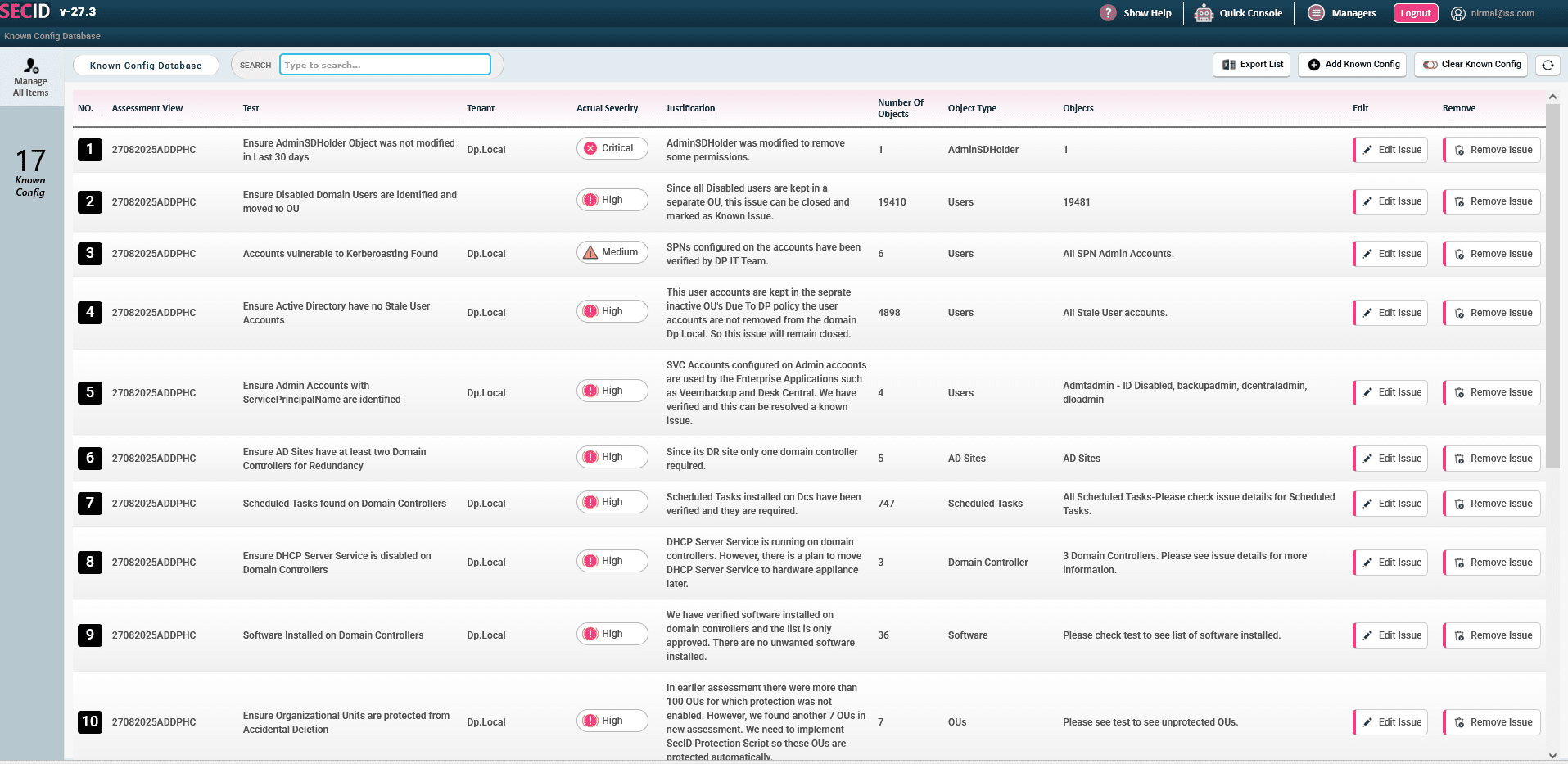
Active Directory is majorly impacted by hackers and intruders. The permissions model of Active Directory is so complex that an Active Directory administrator…
-
Best CIS Benchmark Assessment Tool
1. Overview SmartProfiler-SecID is the best CIS Benchmark Assessment Tool as it automates all CIS Benchmark with minimal efforts. SmartProfiler-SecID, the CIS and…