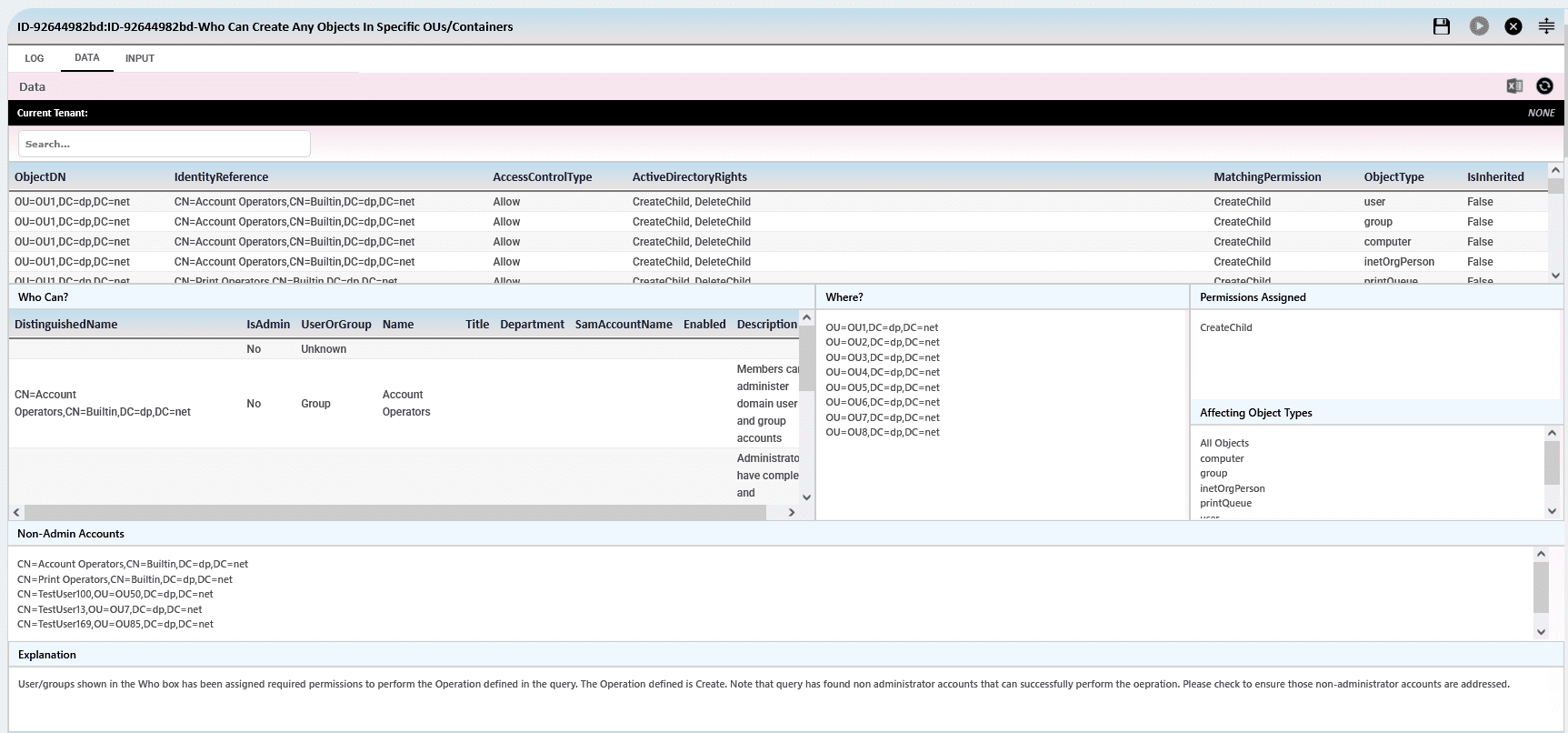
"Who Can?" is a security query that identifies which users or groups have the ability to perform specific actions in Active Directory.
It analyzes ACLs on AD objects to find permissions like ResetPassword, WriteProperty, or GenericAll. This helps uncover misconfigurations that could lead to privilege escalation or lateral movement.
"Can a Single User?" is a targeted query that checks what actions a specific user can perform in Active Directory. It evaluates the user’s effective permissions across OUs, objects, and attributes. This includes rights like GenericAll, ResetPassword, CreateChild, or WriteProperty.It traces both direct rights and those gained through group membership or inherited permissions.
"View" queries are designed to provide visibility into the current configuration and security posture of Active Directory.
They show detailed information about objects like users, groups, OUs, GPOs, and their attributes. Unlike "Who Can" or "Can a Single User", these queries focus on what exists, not who can do what.
"Who Can?" is a type of query or analysis that answers the question:
"Who can perform a specific action on a specific object in Active Directory?"
It focuses on identifying users or groups who have abusable or sensitive permissions, whether directly or indirectly assigned.
| Query | Meaning | Risk if Abused |
|---|---|---|
| Who can reset passwords for Domain Admins? | Finds users who can reset passwords of privileged accounts. | Full domain compromise. |
| Who can replicate directory secrets? | Finds accounts with rights to replicate sensitive directory data (like Replicating Directory Changes). |
Credential dumping (e.g. DCSync attack). |
| Who can modify Group Policy Objects (GPOs)? | Identifies users who can edit GPOs applied to key OUs. | Privilege escalation via startup scripts or policy injection. |
| Who can create user accounts in a sensitive OU? | Reveals users with CreateChild rights. |
Creation of rogue users or backdoors. |
| Who can link GPOs to OUs? | Determines who can attach policies to OUs. | Unintended policies applied, leading to misconfigurations. |
| Who can modify servicePrincipalName (SPN)? | Checks for users who can write the SPN attribute. | Enables Kerberoasting attacks. |
"Can a Single User" is a type of query or analysis designed to answer the question:
"Can a specific user perform sensitive or potentially abusable actions in Active Directory?"
This analysis simulates the permissions of a single user (directly or through group membership, delegated rights, or inherited permissions) to identify whether that account poses a risk within the environment.
| Query | Meaning | Risk if Abused |
|---|---|---|
| Can user reset Domain Admin passwords? | Checks if the specified user can reset passwords of high-privilege accounts. | Full domain compromise. |
| Can user replicate directory secrets? | Determines if the user can perform DCSync-like actions to extract password hashes. | Credential theft and lateral movement. |
| Can user modify GPOs? | Verifies if the user can edit Group Policy Objects affecting privileged systems or users. | Privilege escalation or code execution. |
| Can user create accounts in sensitive OUs? | Evaluates whether the user can create objects in critical organizational units. | Creation of persistent access (backdoors). |
| Can user modify SPNs? | Checks if the user can change servicePrincipalName attributes. | Enables Kerberoasting for hash extraction. |
| Can user delete or disable accounts? | Identifies whether the user can remove or deactivate key identities. | Disruption of services or denial of access. |
| Can user escalate privileges? | Assesses if the user can indirectly gain higher privileges through object control. | Undetected privilege escalation path. |


SecID Risks Finder for Active Directory requires a normal user account who has read permissions on the target objects. It doesn't need a Domain Admin or Enterprise Admin account to execute the queries.
It depends on the number of objects and query type. For example, if you need to check who can reset password of user accounts in Active Directory and if there are large number of user accounts then the execution may take some time to complete. We recommend that you build your own queries based on your requirements.
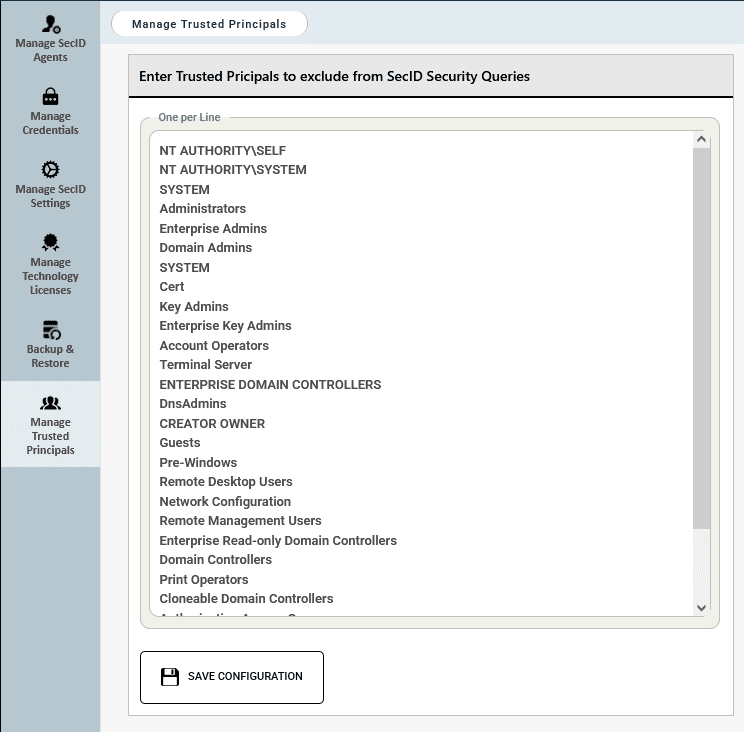
If you do not wish to show Default Principals such as Domain Admins, Enterprise Admins and other security principals that you have created then we recommend defining the Trusted Security Principals in the SecID Settings page.
SmartProfiler generates reports in Microsoft Word format. However, you can edit Impact and Recommendations for each test before generating the report.
ince report is generated in Microsoft Word format, you can brand these reports.